How to play Drop Peak
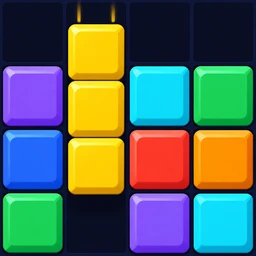
Drop Peak is a falling blocks puzzle: shaped pieces fall onto a 10 × 20 board, and you place them so they fill complete rows. A full row disappears and scores points. Here is everything you need for your first game.
Move and rotate each falling piece so it fills a horizontal row with no gaps. A full row clears and scores; the game ends when a new piece has no room to appear at the top.
The goal
Pieces fall one at a time from the top of the board. Your job is to fit them together so that horizontal rows are filled from wall to wall. Every complete row clears, the blocks above drop down, and you score points.
There is no finish line in Classic mode — you play for the highest score. As you clear lines the level rises and pieces fall faster.
The seven pieces
Every piece is made of four blocks. There are seven shapes, named after the letters they resemble: I (the long bar), O (the square), T, S, Z, J and L.
Drop Peak deals them in “bags” of seven: each batch contains every shape exactly once in a shuffled order. You will never wait an unfair amount of time for the piece you need.
Touch controls
| Gesture | Action |
|---|---|
| Tap the board | Rotate the piece |
| Swipe left / right | Move the piece |
| Drag down | Soft drop (faster fall, +1 point per cell) |
| Flick down fast | Hard drop (instant landing, +2 points per cell) |
| Swipe up | Hold the piece for later |
The board fills the whole screen and there are no on-screen buttons — gestures work anywhere on the playfield.
Hold, ghost and preview
- Hold — swipe up to put the current piece aside and take the held one. You can hold once per drop.
- Ghost piece — a faint outline shows exactly where the piece will land, so a hard drop is never a guess.
- Next pieces — the preview shows the next three pieces so you can plan ahead.
Landing and lock delay
When a piece touches the stack it does not lock instantly. You have half a second to slide or rotate it into a better spot, and every move resets that timer — up to 15 times. Once it rests long enough, it locks and the next piece appears.
Levels and speed
You start at level 1, where a piece falls one cell per second. Every 12 cleared lines raises the level and the speed. By level 10 pieces fall ten cells a second; the speed tops out at level 20, still slow enough for a swipe to steer.
Game over
The game ends when the stack reaches the top and a new piece cannot appear. In Classic and Assist you can watch one optional rewarded video to clear the bottom rows and continue once — or simply start a fresh game.
Questions & answers
Is there a time limit?
Can I play with a keyboard?
Climb your first tower today
Drop Peak is free on iPhone, iPad and Android. No account, no internet needed — just you, the board and the peak.
- Download on the App Store
- Get it on Google Play
- Available on Galaxy Store
- Coming soon AppGallery
- Coming soon RuStore